Why Small Businesses Need to Move Beyond Excel and Start Seeing Their Data Clearly
Still running your business from Excel? Spreadsheets store data, but they don’t reveal patterns, trends, or opportunities fast enough. Learn how visual dashboards help small businesses move from guessing to confident, data-driven decisions.
Remember that moment in a thriller when the detective, surrounded by a chaos of pins, strings, and newspaper clippings, steps back, sees the pattern, and everything clicks?
That’s the power of great data visualization.
Now ask yourself: does your business data create that “aha!” moment—or is it buried in a forgotten spreadsheet named Q3_FINAL_v12_ACTUAL.xlsx?
If you run a small business, consultancy, or growing online brand, chances are you’re sitting on a goldmine of data: sales numbers, customer lists, marketing spend, website traffic. But if that data lives only in Excel, it’s not a strategic asset—it’s a chore.
As a data analyst and web strategist, I’ve seen this story play out repeatedly. The real breakthrough isn’t collecting more data—it’s seeing it clearly.
The Pain of the Spreadsheet (A Problem You Already Know)
Excel is powerful. It’s often where data starts—and where it gets stuck. For decision-making, it has some serious limits:
- Static snapshots: Each file represents a moment in time. Trends require constant manual updates.
- Insights buried in rows: You have to hunt for meaning and mentally translate numbers into action.
- Version chaos: Emailing spreadsheets inevitably leads to “Which one is correct?”
- Time drain: Hours are spent building reports instead of analyzing them.
Excel is excellent for storing data.
Businesses need tools that help them understand data.
What Visual Dashboards Change
Now imagine this instead.
A single, always-updated dashboard—accessible from any device—showing:
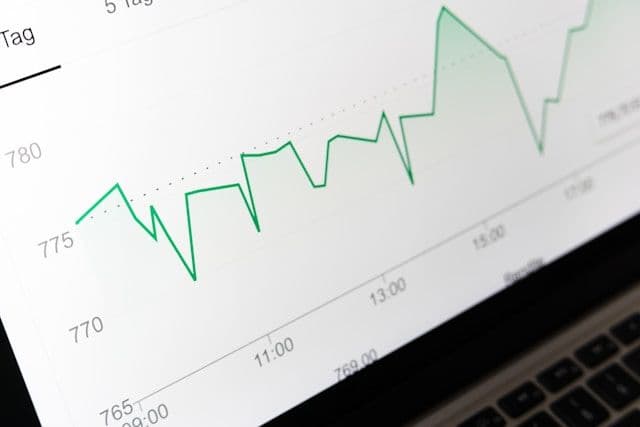
- A sales trend line with a clear spike after your email campaign
- A map highlighting your strongest customer regions
- A live KPI showing monthly website traffic versus your goal
This isn’t about making things “look pretty.”
It’s about clarity, speed, and confidence.
Why Visual Reporting Is Worth the Investment
1. From Reactive to Proactive
Excel tells you what already happened. Dashboards help you spot changes early—before small issues become expensive problems.
2. Decisions Based on Evidence, Not Guesswork
Replace “I think” with “I know.” Visual analytics makes patterns obvious and removes uncertainty from strategic decisions.
3. Hidden Stories Come to the Surface
That flat sales table may hide the fact that one customer segment is growing while another is quietly shrinking. Dashboards surface these insights instantly.
4. Time Saved Is Growth Earned
Automated reporting eliminates repetitive manual work, freeing time for customer experience, strategy, and execution.
5. A Single Source of Truth for Your Team
Shared dashboards align marketing, sales, and operations around the same numbers—reducing friction and improving accountability.
Whether you’re the business owner making decisions or the person stuck rebuilding reports every month, visual dashboards remove friction for everyone.
“Isn’t This Just for Big Companies?”
This is the biggest myth.
Modern business intelligence tools like Power BI, Tableau, and custom dashboards are more accessible than ever. For small businesses, the ROI is often faster because insights translate directly into action—changing ad spend, inventory decisions, or customer strategy immediately.
Where Web Strategy Meets Data Analytics
Your website isn’t just a digital brochure—it’s one of your richest data sources.
By connecting dashboards to live website data (traffic sources, conversion paths, user behavior), you get a closed-loop view of your business. You don’t just see performance—you understand why it’s happening.
This might look like:
- A Power BI dashboard connected to sales and website analytics
- A custom executive report that updates automatically
- A focused performance view answering one critical business question
Your Next Step
You don’t need to start big.
Start with one question:
- Where are my best customers coming from?
- Is my marketing spend actually working?
- What products are quietly underperforming?
We can take that single stream of Excel data and turn it into a clear, visual, automatically updating dashboard.
Stop crunching numbers.
Start sparking action.
👉 Ready to see your business in a new light?
Book a free data clarity call and explore how your Excel data can become your strongest decision-making tool.
Next step
Spreadsheets are a reporting tool, not a system of record
We replace spreadsheet reporting with dashboards and pipelines that stay current without a weekly export ritual.

Author: Damion D Wilson
Admin - opsedsolutions.com